
The Complete Guide 2026 to 3D Printing Threads for Beginners
Creating a thread or screw system is an important part of any manufacturing process. You can create a thread or screw system with various methods in 2026, and one most common method is using 3D printing threads equipment coupled with 3D modeling or CAD software. This guide will teach you how to create external and internal threads for 3D printing.
Why Use 3D Printing Threads
3D printing is a common rapid manufacturing process that allows you to create complex objects for your rapid prototypes, sheet metalwork, and components. The parts creation process with 3D printing is also quite easy, provided that you use the best software. The good thing about 3D printing is that most CAD software will support exporting the 3D design file to the 3D printer equipment. So, you can use plenty of software to create your 3D printing threads, whether it’s premium or open-source software.
Also, most CAD or 3D print service software available today have built-in tools to create threads for your hardware parts. So, it shouldn’t be difficult for beginners to apply both the external and internal threading for their hardware parts design, as the software will provide you with the ready-to-use tool.
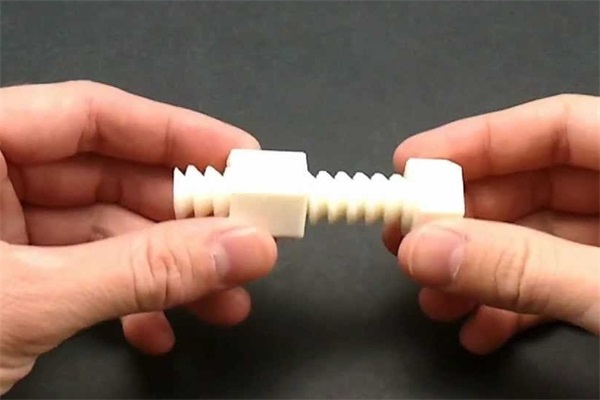
3D Printing Threads - The process won’t involve any complicated steps for you to follow.
Step #1 - Choosing the Right 3D Printing threads Software
The first step you need to do is to pick the right 3D printing software you can use with your 3D printing equipment. A good 3D modeling software, such as AutoCAD, will support the 3D printing design creation. So, you can use this or any other CAD software you prefer to create your 3D printing threads design for your project.
The software will allow you to use various 3D modeling tools, including threading tools, to create 3D printing threads more easily. This software can create external and internal threading for your 3D printing design.
Step #2 - Creating 3D Printing Threads Design for External Threading
Most, if not all, CAD or 3D modeling software will support the 3D printing threads design creation for external threading. So, it should be easy for you to find the tool to create external threads in the tool section of your CAD software. You shouldn’t have any problem creating external threads for your design, no matter what CAD software you use. Here are some steps you need to go through to create the 3D thread design for external threading:
● Creating a circle
The first step is to create a circle with the diameter you need for the threaded parts you want to produce.
● Transform the circle into a cylinder
Then, you can extend the circle to create a cylinder. Again, you will need to look for the length of the cylinder and match it with your size requirements.
● Apply the thread
Using the built-in thread tool in your 3D modeling software, you can apply the thread on the outer part of the cylinder. Just use the ‘create thread’ option on it, and you are done.
● Adjust the thread settings
You can adjust various settings for the thread, such as tolerance class, pitch, profile, size, and many others. You can configure the details of the thread based on the design requirements, whether you want a wider or narrower thread.
That’s it. You created the 3D thread design for external threading using 3D modeling or CAD software.
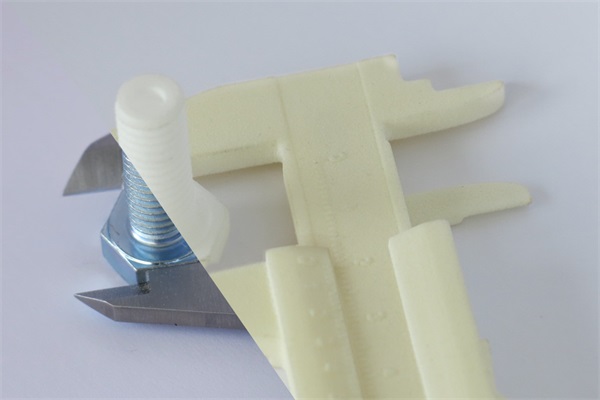
Step #3 - Creating 3D Printing Threads Design for Internal Threading
The method to create the 3D printing threads design for internal threading is almost the same as creating the external threads. However, with the internal threading, you will need to pay much more attention to the threads you apply on the internal cylinder, ensuring that they match the external-threaded parts. Otherwise, you will have a problem using the hardware parts later. Here are some steps to create a 3D thread design for internal threading:
● Creating double circles
The first step is to create two circles, one being the external circle and the other being the internal circle. For internal threading, you will need to apply the thread on the internal circle, not the external one.
● Turning the circles into cylinders
Now, you can turn the circles into cylinders by extending the circles. Be sure to consider the cylinder length based on your design requirements.
● Using the thread tool
Next, you can use the thread tool and apply the thread on the internal circle the same way you did with the external thread.
● Inspect the internal thread
You can inspect the internal thread you have applied to ensure that it will match the external-threaded part you made earlier. Add some spaces between the internal and external thread at around 0.15mm to 2mm, depending on the thread design, whether narrow or wide.
Step #4 - Save and Export the 3D Design Files to the 3D Printer Equipment
You can save both parts in separate files after you complete the steps to create both the external-threaded and internal-threaded parts. Be sure to save the files as STL, as this is the file format that most 3D printer equipment can read.
Next, you can export the file to the 3D printing threads equipment and start the printing process. The 3D printer equipment will print the internal-threaded and external-threaded parts by following the 3D modeling design you have created.
3D Printing Threads vs. CNC Machining Threads
In the mechanical design, thread features are very important, the way making threads can be significantly impact performance, assembly, cost, and lead time. 3D printing threads and CNC machining threads are the two manufacturing methods for thread making, they are differ not only in process, but also strength, accuracy, and real-world usability.Here, we make a table to help the readers understand the key differences, hopefully to help the designers choose the right approach for each stage of product development.
| Comparison Aspect | 3D Printing Threads | CNC Machining Threads |
|---|---|---|
| Manufacturing Method | Layer-by-layer material deposition directly forms thread geometry | Material removal using taps, thread mills, or single-point cutting |
| Geometry Flexibility | Excellent for complex, internal, or custom thread designs | Limited by tool access and machining setup |
| Dimensional Accuracy | Moderate; affected by printer resolution and layer height | High; tightly controlled pitch, depth, and flank angles |
| Fit Consistency | May vary between prints, especially for fine threads | Highly consistent and repeatable |
| Thread Strength | Lower along layer lines without reinforcement | Retains full base material strength |
| Load-Bearing Capability | Suitable for light to moderate loads | Ideal for high-load and structural applications |
| Wear Resistance | Moderate; improves with inserts or post-processing | Excellent for repeated use |
| Surface Finish | Visible layer lines; often requires finishing | Smooth and clean directly from machining |
| Post-Processing Needs | Often required (tapping, inserts, chasing threads) | Usually minimal or none |
| Design Iteration Speed | Very fast; easy to modify digital models | Slower due to setup and tooling changes |
| Cost at Low Volumes | Low; no tooling required | Higher per-part cost |
| Cost at Functional Volumes | Increases with reinforcement steps | More cost-effective for end-use parts |
| Production Scalability | Best for prototypes and small batches | Suitable for prototypes to production runs |
| Typical Use Cases | Prototyping, custom designs, internal threads | Functional parts, precision assemblies |
| Best Thread Sizes | Medium to large threads | Small to large, including fine pitches |
| Industry Applications | Product development, consumer products | Aerospace, automotive, industrial, medical |
| Hybrid Manufacturing Option | Print thread-ready features, then tap or insert | Finish printed parts with precision machining |
Conclusion
You can follow these steps to make external-threaded and internal-threaded parts using 3D printing threads equipment. Most of the time, the steps involved in creating the threads on your hardware parts will be quite easy, as there are already various 3D modeling tools you can use in your CAD or 3D modeling software. After getting the design printed using the 3D printer equipment, you will need to test whether the internal and external threads match each other. You can continue production if they are a perfect match. However, if there are some problems, you should recheck your 3D design and fix any potential problems there.
Contact Us
If you are not sure the right choice to make the thread parts, TEAM RAPID can help you with! We offer 3D printed threads and CNC machined threads to meet your needs. TEAM RAPID has worked for many designers and product developers every day to evaluate thread design, tolerances, materials, and manufacturing methods.We can provide practical guidance based on real manufacturing experience, not only for designing a prototype, but also for planning functional production parts.
Feel free to reach out if you have questions about:
- Thread performance and tolerance requirements
- Improving strength and durability in threaded features
- Choosing between 3D printing, CNC machining, or hybrid solutions
We’re always glad to discuss your project and share insights that help you move forward with confidence.
- Email: sales@teamrapidtooling.com
- Tel: +86 0760 8850 8730
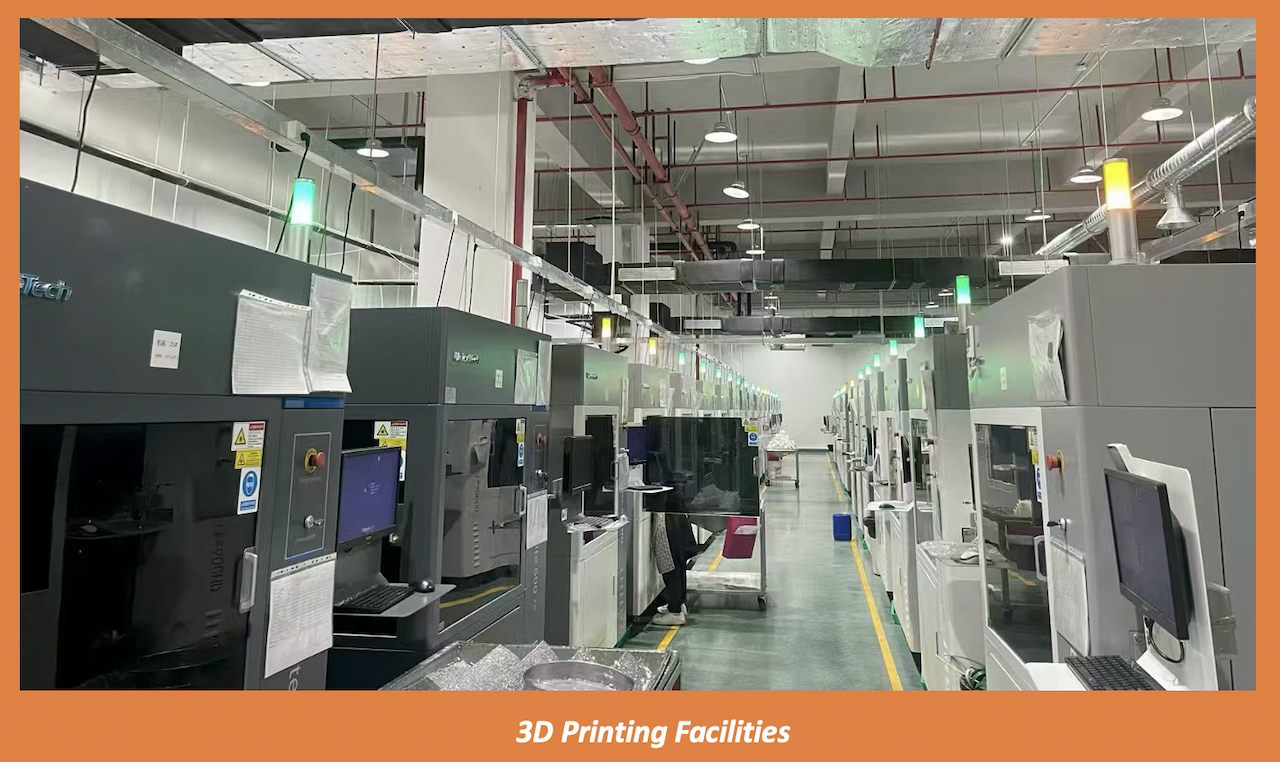
3D printing is one of our core services at TEAM RAPID, we help many customers to make their custom parts successfully at low cost by multiple manufacturing processes such as rapid prototyping, CNC turning, insert molding, vacuum casting etc. Want to learn more about our services, contact our team today!
Frequently Asked Questions (FAQs)
1. Can the 3D printed threads be fully functional?
It depends.
- If for light to moderate loads and low-frequency assembly,3D-printed threads can be functional.
- If for the heavy loads and high-frequency assembly,3D-printed threads might not be fully functional, especially for the small thread parts.
Performance depends on print resolution, material choice, thread size, and print orientation. For demanding applications, post-processing such as tapping or adding threaded inserts is recommended.
2. Do printed threads need post-processing?
Not always, but post-processing is better, especially greatly improves threads’ reliability. Chasing threads with a tap, heat-setting threaded inserts, or light reaming can significantly enhance fit, strength, and wear resistance-especially for functional parts.
3. How does print orientation affect thread strength?
Print orientation impacts quite a lot.
Threads printed so that load is applied along the layer direction are generally stronger. When loads act across layer lines, threads are more prone to delamination or wear.
4. How can I improve the fit of printed threads?
Fit can be improved by:
- Slightly oversizing thread geometry
- Increasing print resolution
- Using taps to clean threads after printing
- Applying lubrication during assembly
Small adjustments can greatly improve usability.


 Contact